 BitVoice
Free and open source · Apache 2.0
The phone system that is one file and one web page
BitVoice is a complete phone system for offices, contact centres and hosted providers: extensions, queues, menus, voicemail, recording, trunks and desk phones, set up entirely in the browser. An open-source alternative to FreePBX and Asterisk, with neither underneath.
Try it now in your browser: sign in as demo with password try-bitvoice-demo, then call
810 from the browser phone (extension 150, password try-the-demo-phone). An invented business, reset every night.
Or watch the two-and-a-half-minute tour.
Double-click it and a browser opens on a setup wizard; a few minutes later a phone rings. No configuration files, no paid modules, no licence meter.
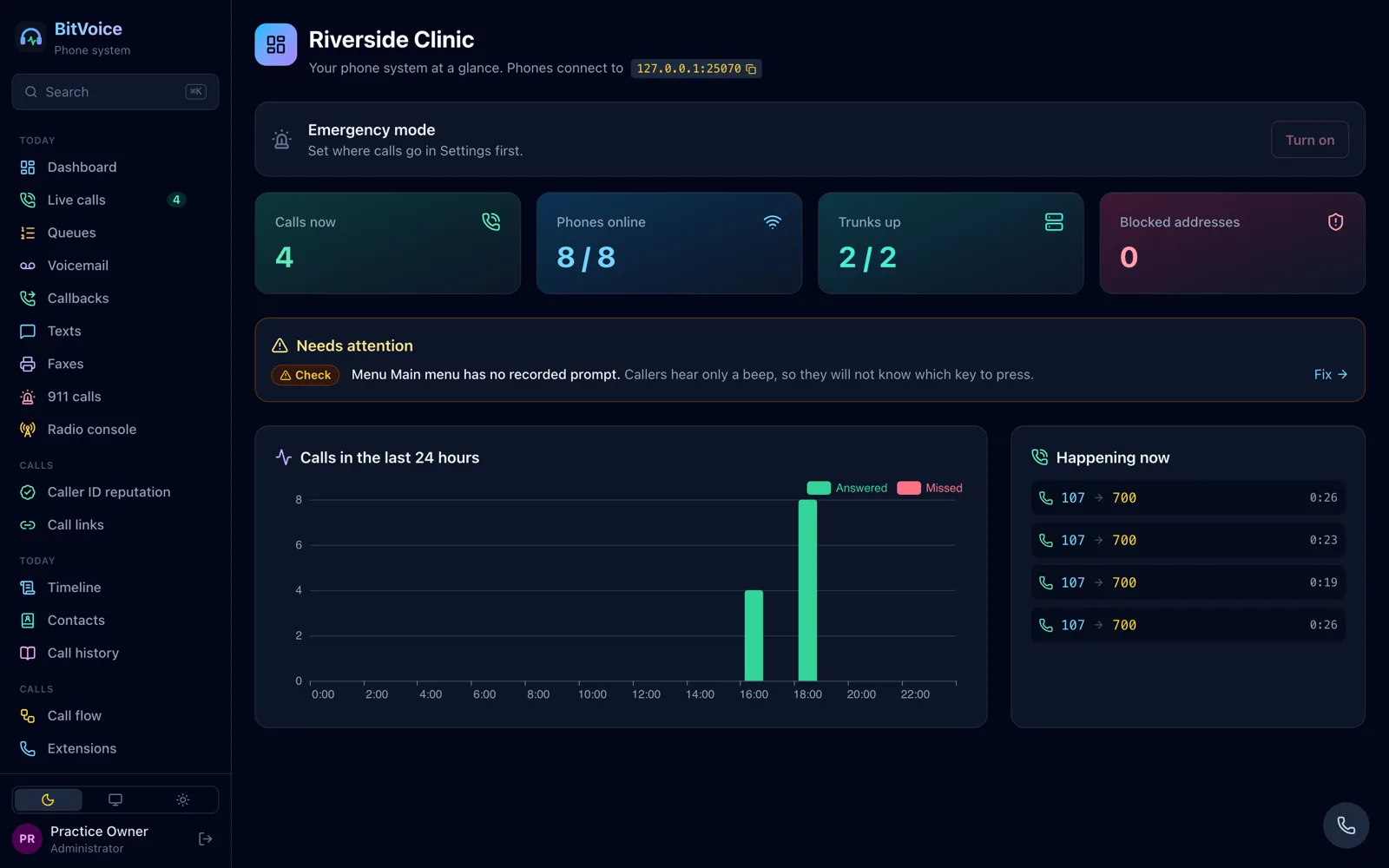
Everything in the browser
A phone system packaged like an appliance
One program, one built-in web interface, no outside runtime. Underneath is BitVoice's own engine, written in Go: SIP and IAX2, RTP and SRTP, codec conversion and WebRTC. A REST API and configuration in Git are there for those who want them.
Everything an office phone system does
Extensions, ring groups, menus, schedules, voicemail to email, recording, parking, paging, conference rooms, forwarding, follow-me, intercom and the usual feature codes.
A contact centre
Queues with a live wallboard, callbacks, VIP and sticky routing, supervisors listening in, an outbound dialer and one inbox for web chat, WhatsApp, Messenger and texts.
Desk phones and browsers
Yealink, Poly, Grandstream, Snom, Fanvil and more set up automatically; a phone in every browser; WebRTC softphones over SIP over WebSocket.
Bring your FreePBX with you
Import FreePBX, Asterisk, 3CX, Cisco, Avaya and Mitel exports. See exactly what would change before it is applied, and undo it in one click.
AI you choose, or none
Transcripts, summaries and an AI receptionist with the AI service you pick, or one you run yourself. Off until you set it up.
Runs anywhere, many at once
SQLite on one server or PostgreSQL for several; many organisations on one server, each with its own data, address and administrators.
Secure by default
HTTPS only, SIP over TLS with SRTP, Let's Encrypt, two-step sign-in and single sign-on, signed updates, and an audit of every change.
Scripts that never lose a call
Route calls with JavaScript or Lua, sandboxed and time-limited, with a fixed fallback when a script fails. Asterisk's AMI and ARI tools work too.
See it as it happens
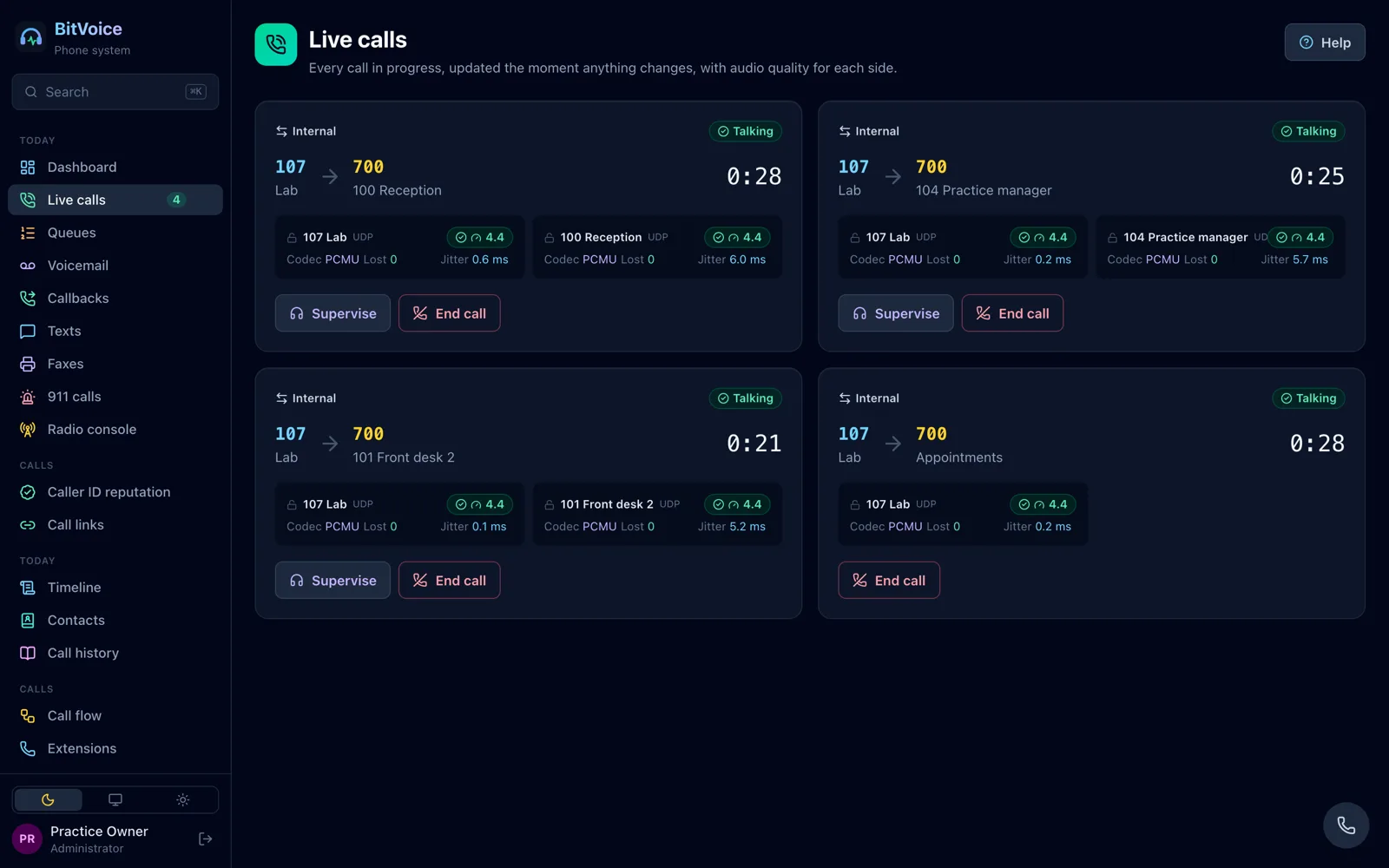
Live calls, with their quality
Every call in progress, both sides, with the codec, packet loss, jitter and an audio score, and what needs attention in plain words on the dashboard.
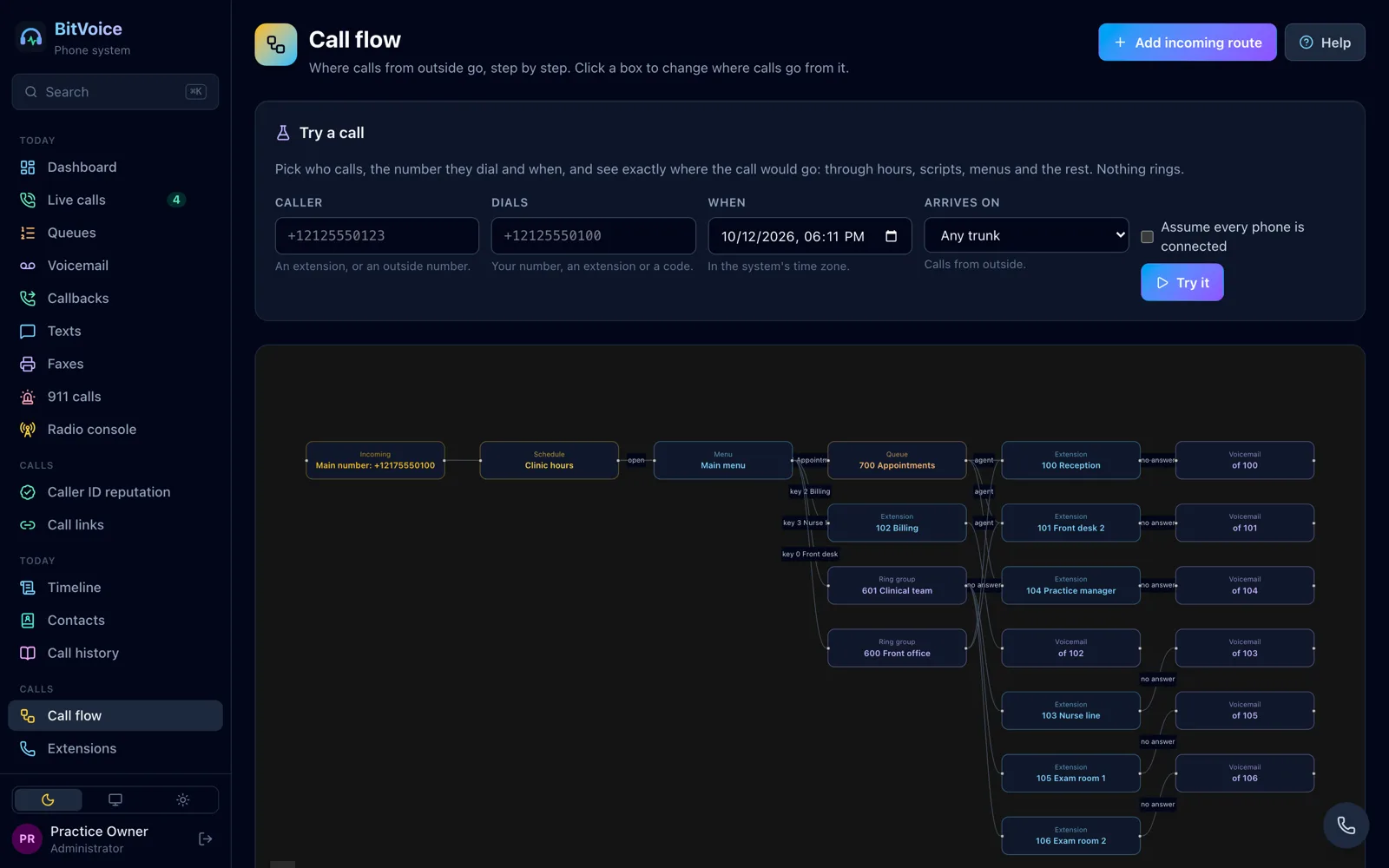
- A call flow diagram of where calls from outside go
- A call-path simulator: pick a caller, a number and a time and see the exact route, without ringing anything
- Call history with recordings, quality and search across what was said
Queues
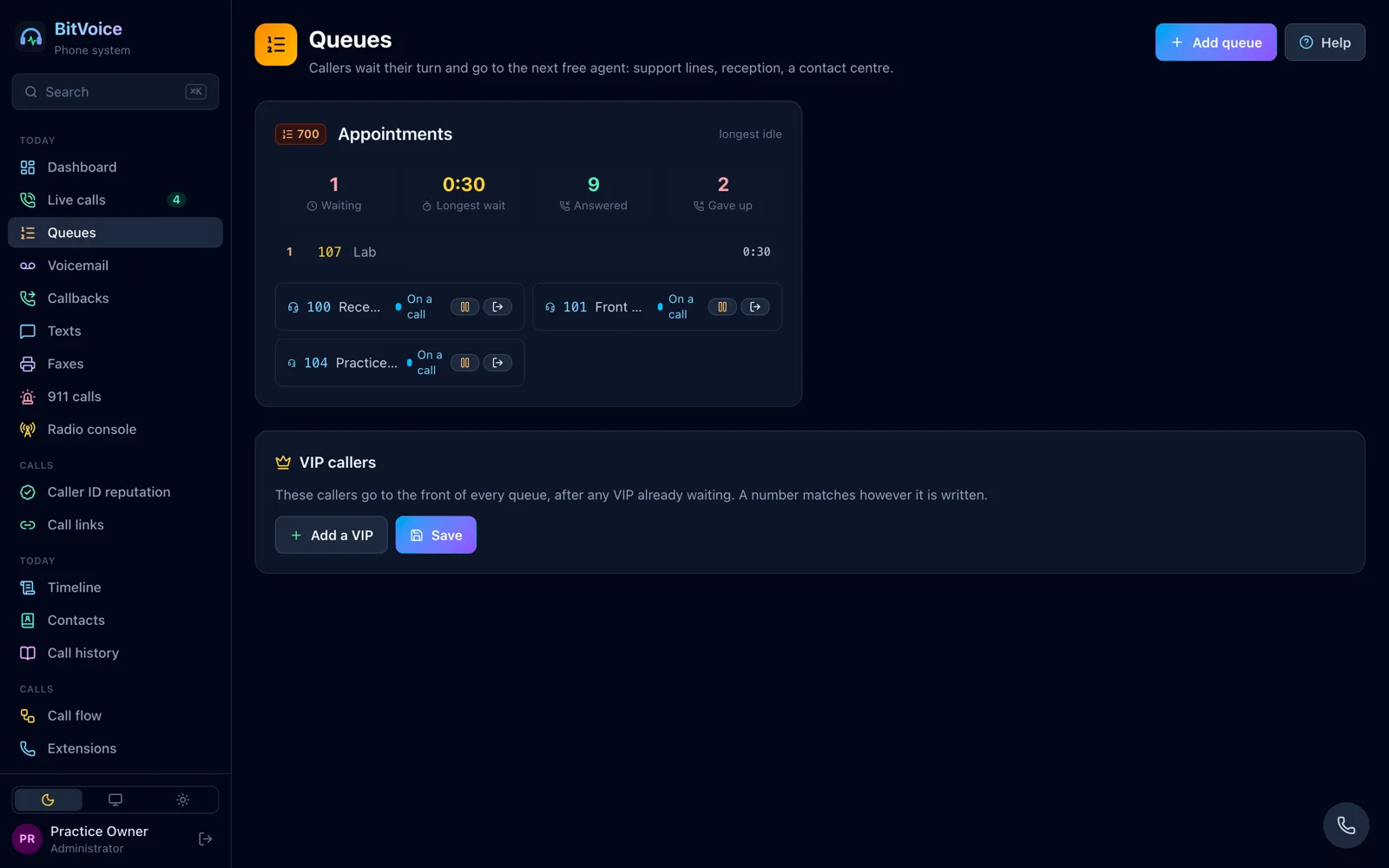
A wallboard for every queue
Callers waiting, the longest wait and each agent's state, live. Agents log in and pause from their phones or the screen; supervisors listen, whisper and barge.
Routing
Where every call goes, drawn
The main number to the opening hours, then the menu, the queues and the people, each ending where it ends. Change a step and the diagram follows.
Plainly
What is proven, and what is not yet
Every change runs the Go tests with the race detector, fuzzing, and browser tests that make real WebRTC calls and check the sound both ways. BitVoice is checked against Asterisk, libpri, ffmpeg, JsSIP and SIP.js. It has not yet been run with every phone, carrier and telephony card it supports; the proof page lists which.
Try it on your own computer
Download, double-click, and follow the wizard. Point a SIP phone at it, or press the phone button to call from the browser.